Spotfire® 15.1: AI in the flow of industrial investigations
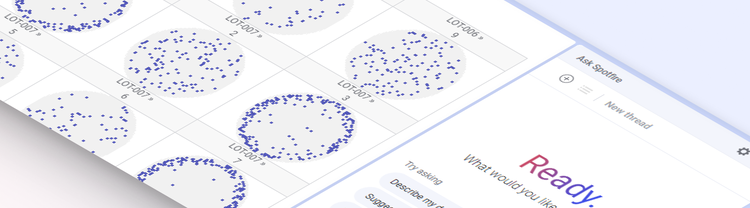
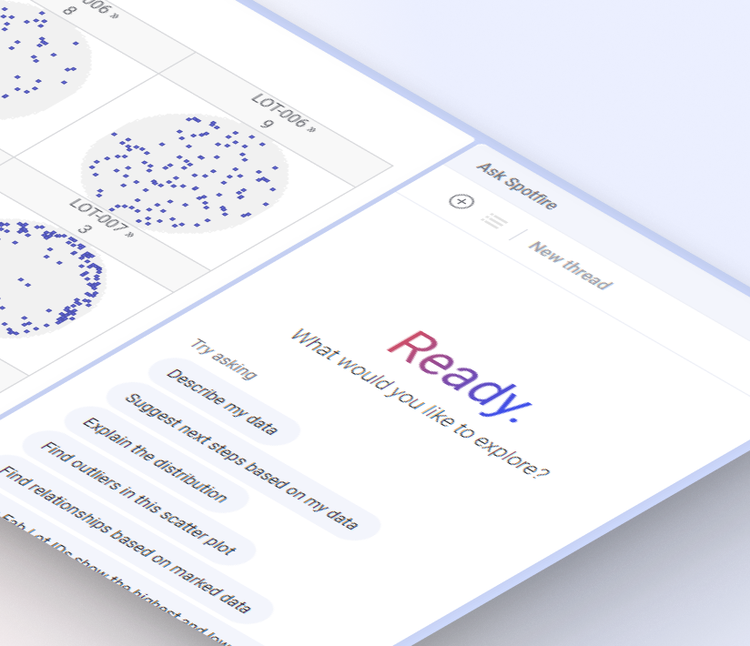
Spotfire® 15.1, our latest innovation release, brings AI directly into the analytical experience, helping engineers, scientists, and analysts move from questions to interactive investigations without switching tools. With Ask Spotfire, reusable Skills, and specialized Insight Agents, users can build, explore, and refine analyses while remaining in control of the results. The release also expands Spotfire Industry Pro capabilities for semiconductor manufacturing and energy, alongside improvements to everyday analysis, connectivity, and enterprise operations.
From question to investigation, in one place
Investigations rarely start with a finished analysis. They start with a question, and answering it usually means translating that question into a sequence of visualizations, calculations, and selections, then repeating the process on the next dataset.
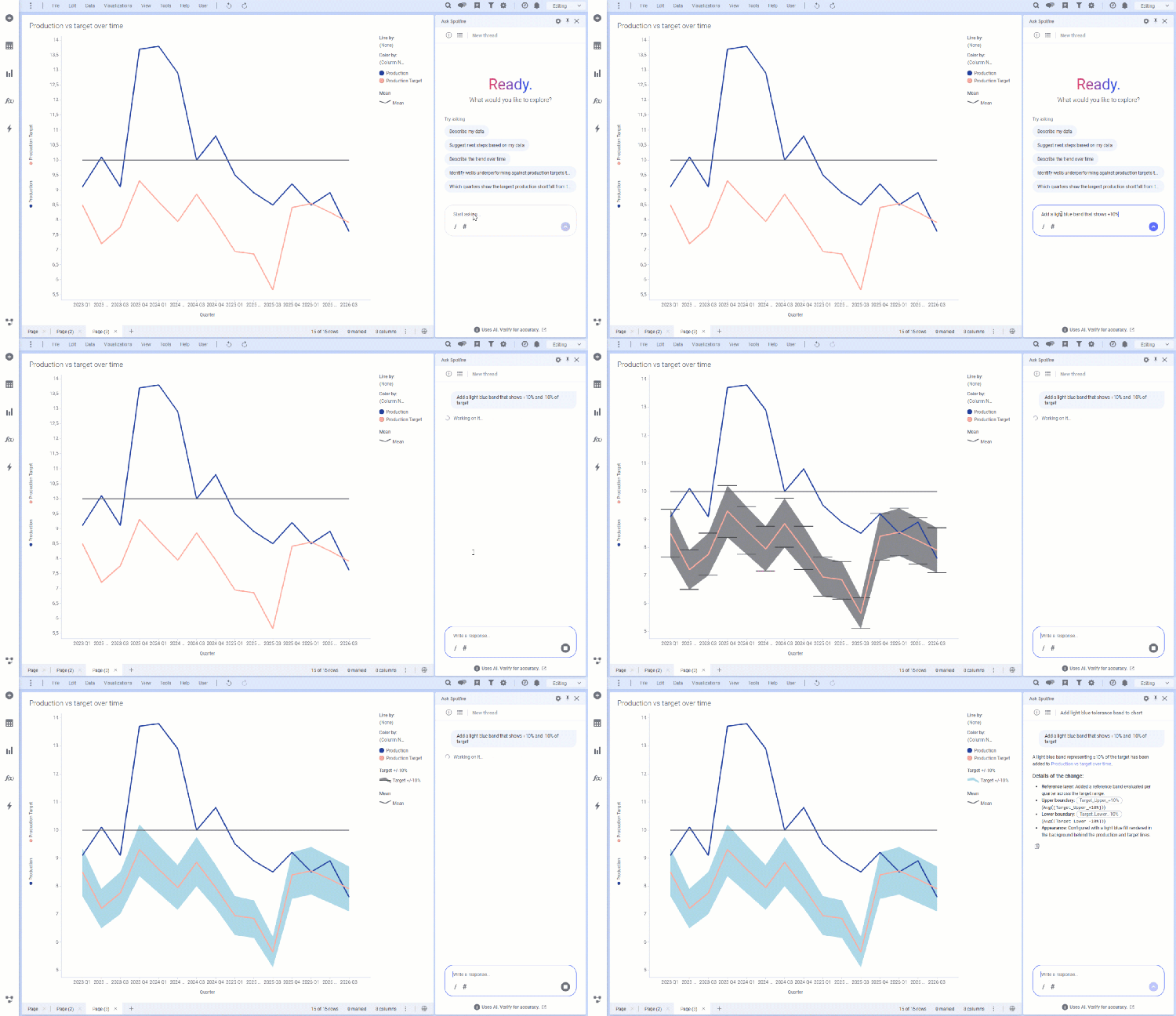
Spotfire 15.1 brings AI directly into the flow of analysis. With Ask Spotfire, a yield engineer can request yield by lot, drill down into wafer maps, and identify the lowest-yielding wafers using natural language. Instead of producing static answers, Spotfire creates interactive visualizations as evidence that engineers can continue exploring, filtering, and refining. Once they’ve built an investigation, they can use AI to turn their work into a reusable Skill and apply it to new datasets. Specialized Insight Agents can perform additional analytical tasks, directly as part of these workflows, allowing organizations to build and share their own.
The growing collection of Insight Agents in Spotfire brings specialized analytical capabilities directly into investigations. The Data recommender agent helps analysts discover related data; the Analyze category agent profiles and assists with statistical comparison by selecting appropriate tests and interpreting results; while the Equipment commonality analysis agent helps them identify equipment and processes associated with failures. Looking ahead, additional agents will help engineers prepare and align time-series data, and detect spatial patterns on wafers. Together, agents extend AI beyond visualization creation to specialized analytical tasks, while keeping domain experts in control.
MCP connections let Ask Spotfire, Skills, and Insight Agents integrate with your business systems, for example, retrieving information or creating a follow-up ticket. Administrators configure those connections and control access by user group, extending the AI governance introduced in 15.0. The expert decides, and the organization stays in control. Learn more about our approach to AI-augmented investigations in the latest Spotfire Quarterly Update blog.
From an unusual wafer map to where to look next
An unusual wafer map can reveal potential process, equipment, or lithography issues, but understanding its significance requires both spatial context and relevant wafer-level metrics. Spotfire 15.1 makes these investigations easier by reducing wafer configuration effort and bringing richer analytical information directly into wafer map visualizations in Spotfire Industry Pro.
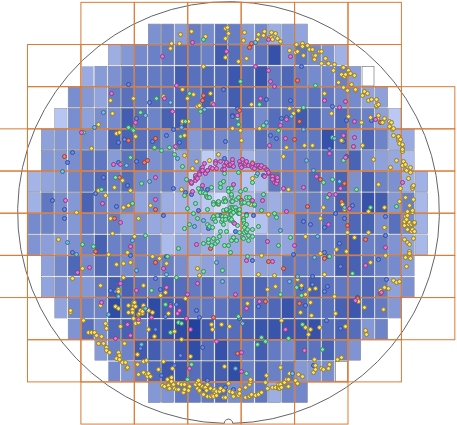
Assisted wafer configuration infers an initial layout from die coordinates that engineers can review and refine. Statistics layers display yield, defect counts, and other metrics directly alongside wafer maps, while exposure fields add photolithography context to help identify patterns that repeat across reticle fields. A new public wafer map API enables developers to interact with these visualizations through scripts, actions, and AI-augmented workflows.
Subsurface context in a single view
Well log analysis brings together continuous logs, categorical intervals, formations, completion information, and different depth references, often from different data tables. Subsurface teams shouldn’t have to restructure all of that into one table just to see it together.
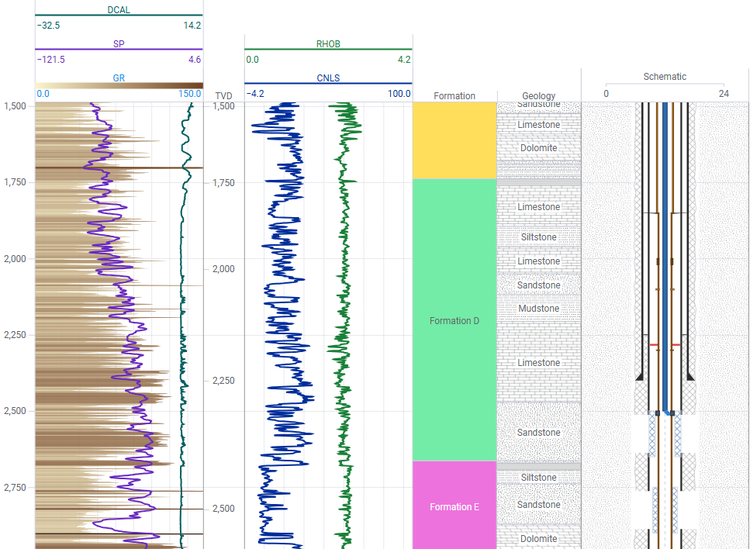
The updated layer-based well log chart add-on represents each track as an independently configured layer, so engineers can combine logs, intervals, formations, and completions from different tables in a single visualization. They can also add equipment and completion schematics alongside the logs, show multi-channel measurements as depth-oriented heatmaps, and compare true vertical and measured depth.
Less friction from question to evidence
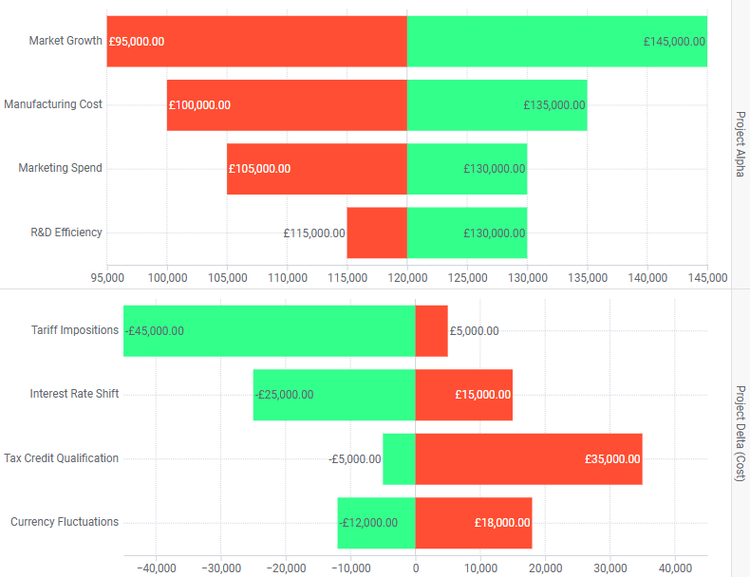
Spotfire 15.1 also makes everyday analysis easier. The Data recommender Insight Agent suggests related Information Links based on data already in the analysis, while bulk editing of column data types and aggregations, plus color scheme management in the new visualization properties panel, reduce repetitive configuration work. New tornado and waffle chart add-ons, along with enhanced area chart and timeline visualizations, expand how analysts explore sensitivity, proportions, trends, and events over time.
Enterprise teams also benefit from easier administration and connectivity. An interactive release notes page helps administrators compare changes between selected Spotfire versions, while Automation Services adds conditional logic and more flexible workflow control. The AVEVA PI connector now supports web-based connection authoring and interpolated time-series retrieval, and SAP HANA connectivity gains OAuth2 authentication and proxy support. The release also adds support for R 4.6.
Overall, Spotfire 15.1 delivers enhancements across Spotfire® Analytics, Spotfire® Industry Pro, and Spotfire® Enterprise, reinforcing Spotfire’s role as a platform for industrial organizations that must discover insights, surface risks early, and drive operations forward.
To explore everything new in this release, visit the Spotfire Quarterly Update What’s New hub, or dive into specific capabilities in the product what’s new notes.